
Google Ads in 2026: How to Stop Wasting Your Budget
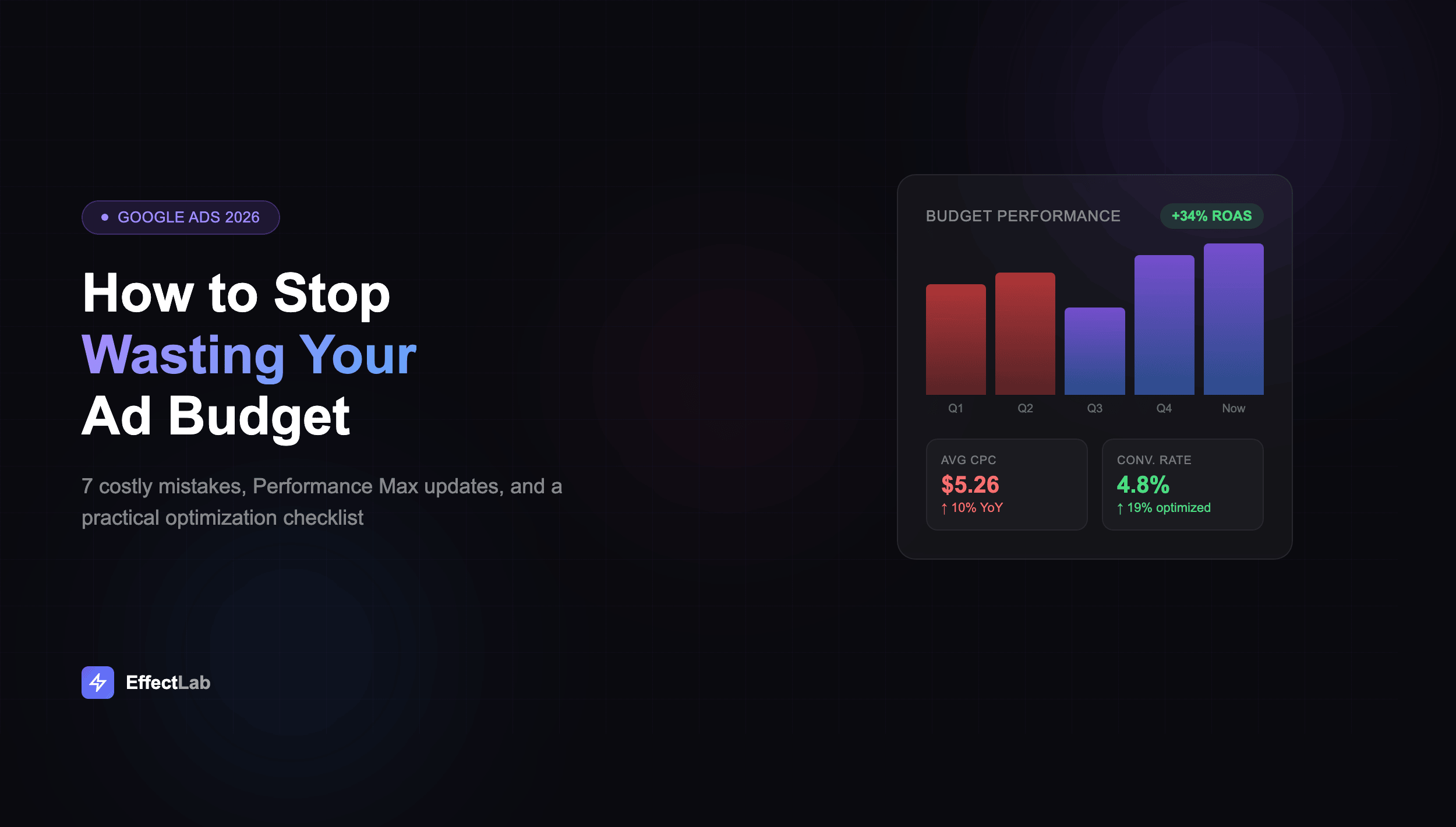
The average cost-per-click across Google Ads hit $5.26 in 2025 — up 10% from the year before. Return on ad spend dropped in 13 out of 14 industries. If your campaigns feel like they’re burning money faster than ever, it’s not your imagination. The platform has fundamentally changed, and strategies that worked in 2024 are quietly draining budgets in 2026.
This isn’t another vague “optimize your campaigns” article. Below you’ll find the 7 most expensive mistakes we see in real accounts, what actually changed in Performance Max and Demand Gen, and a practical checklist you can apply to your campaigns today. No fluff — just the specifics that move the needle on your ROAS.
Why Google Ads Budgets Are Bleeding in 2026
Google Ads isn’t the same platform it was even two years ago. AI now sits at the foundation of every campaign type — from bidding and targeting to creative generation and audience matching. The days of manually controlling every lever are over, and advertisers who haven’t adapted are paying the price.
Here’s the reality: CPCs have been climbing 4-5% annually since 2023, and the trend shows no signs of slowing. More advertisers competing for the same inventory. More automation replacing manual precision. More ad formats fighting for attention in an increasingly crowded SERP.
But the biggest problem isn’t that ads cost more — it’s that most advertisers are still running campaigns the old way. They’re fighting against the algorithm instead of training it. They’re optimizing for clicks instead of conversions. They’re spreading budget thin instead of concentrating it where it actually performs.
The good news? Advertisers who understand the new rules are getting better results than ever. Google’s own data shows that Smart Bidding Exploration generated 18% more search queries and 19% more conversions for early adopters. The gap between optimized and unoptimized accounts is widening — and that gap is where your opportunity lives.
The 7 Most Expensive Google Ads Mistakes
After auditing dozens of Google Ads accounts, these are the mistakes that waste the most money. Some are obvious, others are subtle — but all of them are fixable.
1. Blindly Following Google’s Recommendations
Google’s optimization score tells you your account is at 62% and suggests a dozen “improvements.” Here’s what they don’t tell you: many of those recommendations primarily benefit Google’s revenue, not your ROI. Adding broad match keywords, raising budgets, enabling auto-apply — these often increase spend without proportional returns.
A real example: one account followed Google’s recommendation to switch all exact match keywords to broad match. CPCs dropped 15%, which looked great on paper — but the conversion rate fell 40%, and cost-per-acquisition nearly doubled. The optimization score went up. The actual performance went down.
Fix: Evaluate every recommendation against your own data. Accept the ones that align with your goals, dismiss the rest. And never enable auto-apply without reviewing what it actually changes.
2. Broad Match Without Negative Keywords
Broad match has improved significantly with AI matching in 2026 — but it’s still not magic. Without a robust negative keyword list, broad match will happily spend your budget on searches that are vaguely related to your product but have zero purchase intent. “Free,” “jobs,” “reviews,” “DIY” — these queries eat budgets alive.
Fix: Review your search terms report weekly, not monthly. Build negative keyword lists proactively before launching broad match campaigns. Start with phrase or exact match, then expand to broad only after you’ve built a comprehensive negative list.
3. Poor or Missing Conversion Tracking
This is the single most destructive mistake. If your conversion tracking is broken, incomplete, or tracking the wrong actions, every automated bidding strategy is optimizing toward garbage data. Google’s AI is incredibly powerful — but it will optimize for exactly what you tell it to, even if what you’re telling it is wrong.
Common tracking failures: counting page views as conversions, tracking button clicks without verifying form submissions, missing cross-device conversions, having duplicate conversion tags firing on the same action.
Fix: Audit your conversion setup every quarter. Use Google Tag Assistant to verify tags fire correctly. Implement Enhanced Conversions for better attribution accuracy. Make sure your primary conversion action reflects actual business value — a qualified lead or a purchase, not a page view.
4. Running Campaigns on Autopilot
Automation doesn’t mean “set it and forget it.” We’ve seen accounts where no one reviewed the search terms report for six months. Where campaign budgets hadn’t been adjusted despite seasonal changes. Where ad copy hadn’t been updated since the initial launch a year ago.
Google’s automation handles the tactical execution — bidding, matching, placement. But strategy, creative direction, and budget allocation still require human judgment. The algorithm optimizes within the constraints you set. If those constraints are outdated, the optimization is meaningless.
Fix: Schedule weekly 30-minute account reviews. Check search terms, review performance by device and location, monitor quality scores, and adjust budgets based on what’s actually converting. Monthly, review your campaign structure and strategy against current business goals.
5. Weak Landing Pages
You can have the perfect ad — right keyword, compelling copy, ideal bid — and still waste money if the landing page doesn’t convert. Slow load times, confusing layouts, mismatched messaging between ad and page, no clear call-to-action — any of these kills your conversion rate, which kills your ROAS, which means you’re paying full price for ads that produce nothing.
Google’s Quality Score directly factors in landing page experience. A poor landing page means higher CPCs, lower ad positions, and less impression share — you literally pay more for worse results. We cover the most critical website mistakes that cost businesses money in detail, and many of them directly impact your ad performance.
Fix: Match your landing page messaging to your ad copy exactly. Ensure load time is under 3 seconds on mobile. Have one clear CTA above the fold. Test different landing page variations. If your current website isn’t converting ad traffic, consider building dedicated landing pages for your highest-spend campaigns.
6. Spreading Budget Too Thin
Running 15 campaigns with $20/day each is almost always worse than running 5 campaigns with $60/day. Smart Bidding needs data to learn, and data requires volume. Campaigns with insufficient budget never exit the learning phase, which means the algorithm can’t optimize effectively — and you’re paying premium prices for underperforming placements.
Google recommends a minimum of 50 conversions per campaign per month for tCPA and 15 for Maximize Conversions. Below those thresholds, you’re essentially guessing.
Fix: Consolidate campaigns ruthlessly. Pause everything that doesn’t have enough budget to generate meaningful data. Focus spending on your top-performing campaigns and expand only after they’re consistently profitable. Quality of campaigns always beats quantity.
7. Ignoring Demand Gen Campaigns
Most advertisers are still focused exclusively on Search and Performance Max. Meanwhile, Demand Gen campaigns — which replaced Video Action Campaigns — are delivering 20% more conversions at lower cost for advertisers who know how to use them. YouTube, Gmail, Discover — these placements reach users earlier in their journey, building awareness before they even start searching.
Fix: Allocate 15-20% of your budget to Demand Gen as a test. Use your best-performing creative assets. Target lookalike audiences based on your converter lists. Measure results over 4-6 weeks — upper-funnel campaigns need longer to show their full impact.
Performance Max in 2026: What Actually Changed
Performance Max was Google’s most controversial campaign type since its launch. “Black box” was the most common complaint — advertisers couldn’t see where their ads ran, which keywords triggered them, or why certain placements were chosen. In 2025-2026, Google addressed the biggest complaints. Here’s what actually matters:
Campaign-level negative keywords. Finally. You can now add negative keywords directly to Performance Max campaigns, giving you control over irrelevant search queries without contacting Google support. This single change makes PMax viable for brands that couldn’t risk appearing alongside unwanted search terms.
Channel-level reporting. You can now see performance breakdowns by channel — Search, Display, YouTube, Discover, Gmail, Maps. This means you can identify which channels are actually driving results and which are just consuming budget. Some advertisers discovered that 80% of their PMax conversions came from Search, with Display eating budget for minimal return.
Demographic exclusions. You can now exclude specific demographics and audience segments from PMax campaigns. This is critical for B2B advertisers who were wasting spend on consumer audiences, or luxury brands whose ads were being shown to audiences outside their target market.
High Value New Customer Mode. This lets you bid more aggressively for new customers while maintaining profitability on existing ones. If your business model depends on customer acquisition — especially for subscription-based services or high-LTV products — this feature alone can transform your PMax performance.
The bottom line: Performance Max in 2026 is significantly more transparent and controllable than the version that launched in 2022. But it still requires careful setup — strong conversion tracking, quality creative assets, and clear audience signals. Garbage in, garbage out applies more than ever.
Demand Gen: The Format You’re Probably Ignoring
Demand Gen campaigns officially replaced Video Action Campaigns in early 2025, and most advertisers still haven’t made the switch — or even tried the format. That’s a mistake, because Demand Gen represents a fundamental shift in how Google approaches upper-funnel advertising.
What makes it different: Demand Gen runs across YouTube (including Shorts), Gmail, and the Discover feed — Google’s highest-engagement surfaces. Unlike traditional display ads, these placements appear in content feeds where users are actively browsing and discovering, not just passively visiting websites.
Multi-format creative. A single Demand Gen campaign can serve video ads, image ads, and carousel ads, automatically selecting the best format for each placement and user. Early data shows this multi-format approach generates up to 20% more conversions compared to single-format campaigns.
AI-powered creative generation. In 2026, Google added the ability to generate ad creative variations using AI directly within the Demand Gen campaign builder. Upload your product images and brand guidelines, and the system generates multiple ad variations for testing — dramatically reducing the creative bottleneck that held back many visual campaigns.
Lookalike segments. Demand Gen lets you create lookalike audiences from your first-party data — customer lists, website visitors, app users. This is especially powerful as third-party cookie deprecation continues and audience targeting becomes more reliant on first-party signals.
When to use it: Demand Gen works best for brands with strong visual content (product images, lifestyle photography, video), e-commerce businesses looking to expand beyond search, and any advertiser who needs to build awareness before capturing demand. It complements Search and PMax — it doesn’t replace them.
AI Bidding: How to Train the Algorithm Right
Smart Bidding is no longer optional — it’s the foundation of Google Ads in 2026. Manual bidding still exists, but the performance gap between manual and automated strategies continues to widen. The question isn’t whether to use AI bidding, but how to set it up so the algorithm works for you instead of against you.
Smart Bidding Exploration. Launched in late 2025, this feature lets the algorithm test new search queries and audience segments beyond your current targeting. Google reports that campaigns using Exploration generated 18% more unique search queries and 19% more conversions. The trade-off: slightly higher CPAs during the learning phase, but significantly better scale once the algorithm identifies high-performing new audiences.
Value-Based Bidding. Instead of treating all conversions equally, Value-Based Bidding lets you assign different values to different conversion types. A demo request is worth more than a newsletter signup. A purchase of $500 is worth more than a purchase of $50. When the algorithm knows the relative value of each conversion, it can optimize for revenue instead of just volume.
This is particularly powerful for e-commerce and lead generation businesses. If you’re still using Maximize Conversions with equal conversion values, you’re leaving money on the table. Switching to Value-Based Bidding typically improves ROAS by 15-30% in the first quarter.
Data quality beats data quantity. The most common mistake with Smart Bidding is feeding the algorithm low-quality conversion data. If you’re tracking micro-conversions (page views, scroll depth, video plays) alongside macro-conversions (purchases, qualified leads), the algorithm can’t distinguish between them effectively.
Best practices for AI bidding in 2026:
- Set your primary conversion action to reflect real business value — not engagement metrics
- Use Enhanced Conversions to improve attribution accuracy and give the algorithm better data
- Allow 2-3 weeks for the learning phase before judging performance
- Don’t make drastic changes (budget shifts >20%, target CPA changes >15%) mid-learning
- Use portfolio bid strategies to pool data across similar campaigns
- Enable Smart Bidding Exploration on your top campaigns once they’re performing consistently
A Practical Budget Optimization Checklist
Whether you’re managing your own Google Ads account or overseeing an agency, use this checklist to plug the most common budget leaks. Each item takes 10-30 minutes and can save you hundreds or thousands per month.
- Audit your conversion tracking. Verify every conversion action fires correctly. Remove duplicates. Ensure your primary conversion reflects actual business value. Use Google Tag Assistant and real-time reports to test.
- Review search terms from the last 30 days. Add irrelevant queries as negative keywords. Look for patterns — entire topic clusters you should exclude. Do this weekly, not monthly.
- Check your campaign budgets vs. learning status. If any campaign shows “Limited by budget” or is stuck in “Learning,” either increase the budget or consolidate it with similar campaigns.
- Evaluate your bid strategy. If you’re still on Manual CPC or Enhanced CPC, test Smart Bidding on your best campaign. If you’re on Maximize Conversions, consider switching to Target ROAS with Value-Based Bidding.
- Audit your landing pages. Test load speed on mobile (use PageSpeed Insights). Check that the headline matches your ad copy. Verify the CTA is clear and above the fold. Confirm forms work on all devices.
- Review your Performance Max asset groups. Check channel-level reporting — pause or restructure asset groups where Display is consuming budget without conversions. Add campaign-level negative keywords. Refresh creative assets older than 90 days.
- Consolidate underperforming campaigns. Pause campaigns with fewer than 15 conversions/month. Merge similar ad groups. Redirect budget to your top 3-5 performing campaigns.
- Set up a test for Demand Gen. Allocate 10-15% of your budget. Use your best-performing creative. Target lookalike audiences from your customer list. Plan to evaluate after 4-6 weeks.
- Enable Smart Bidding Exploration on your top-performing Search campaigns. Monitor for 3 weeks, then evaluate the new queries it discovered.
- Schedule recurring reviews. Weekly: search terms and budget pacing. Monthly: strategy review and creative refresh. Quarterly: full account audit and conversion tracking verification.
Start with items 1-3 — they typically have the highest immediate impact. Even fixing conversion tracking alone can transform campaign performance within weeks.
How EffectLab Helps With Google Ads
Managing Google Ads effectively in 2026 requires a combination of strategic thinking, technical expertise, and continuous optimization. If your campaigns aren’t delivering the ROI they should, here’s how we can help.
Technical foundation. We start with what most agencies skip — making sure your website actually converts ad traffic. The best campaign in the world can’t fix a slow, confusing landing page. When we built the TechnoVector platform, the e-commerce architecture was designed from the ground up to support paid advertising — fast load times, clear product pages, optimized conversion funnels. The result: the client’s ad campaigns delivered significantly better ROAS from day one.
Data-driven strategy. Every campaign we manage starts with proper tracking infrastructure. Enhanced Conversions, server-side tagging, CRM integration — we build the data layer that Smart Bidding needs to perform. For the OptiRent rental platform, we implemented custom conversion tracking that differentiated between quote requests, equipment reservations, and completed rentals — giving the algorithm precise signals about real business value.
Full-funnel approach. We don’t just run Search ads and call it a day. Our campaigns integrate Search, Performance Max, and Demand Gen to cover every stage of the customer journey — from awareness to conversion. This full-funnel strategy typically delivers 25-40% better overall ROAS compared to search-only campaigns. If you’re not sure how your overall promotion strategy should work alongside paid advertising, we help with that too.
Get a free audit of your Google Ads account — we’ll identify the biggest budget leaks and show you exactly where your money is going. No commitment, no sales pitch — just an honest analysis of what’s working and what isn’t.
Conclusion
Google Ads in 2026 rewards advertisers who work with the platform’s AI — not against it. The fundamentals haven’t changed: target the right audience, deliver a compelling message, send them to a page that converts. But the execution is radically different. AI bidding, Performance Max transparency, Demand Gen, Value-Based Bidding — these aren’t optional extras anymore. They’re the baseline for competitive performance.
The 7 mistakes we covered — blindly following Google’s suggestions, neglecting negative keywords, poor tracking, autopilot management, weak landing pages, thin budgets, and ignoring new formats — are responsible for the majority of wasted ad spend we see in real accounts. Fix these, and you’re already ahead of most advertisers.
Start with the checklist. Audit your tracking. Consolidate your campaigns. Test Demand Gen. Train the algorithm with quality data. And if you need a team that builds websites designed to convert ad traffic and manages campaigns that actually deliver ROI — let’s talk.