No-Code vs Custom Development: What to Choose in 2026
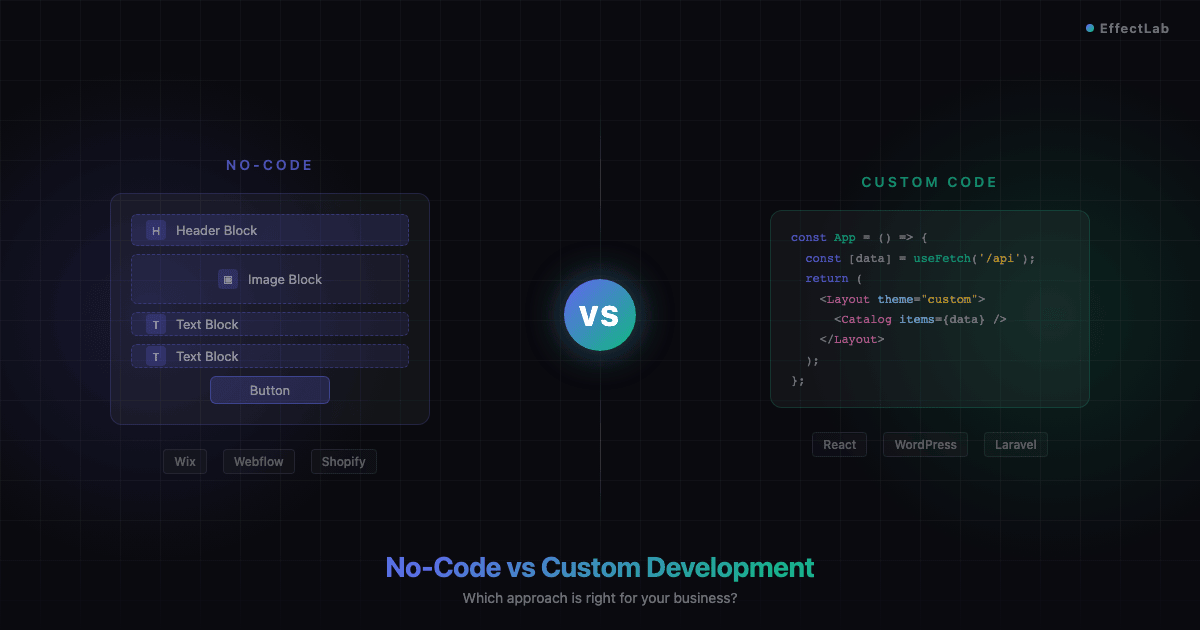
Wix in 3 days or WordPress in 3 weeks? The answer depends entirely on what you’re building. The no-code movement has exploded into a $13.2 billion market in 2026, promising anyone can build a website without writing a single line of code. Yet 67% of businesses with serious growth plans still choose custom development. So when you’re facing the no-code vs custom development decision, how do you know which path is right for your project?
This guide breaks down both approaches honestly — no hype, no bias. We’ll compare real costs, timelines, limitations, and long-term implications so you can make an informed decision that saves you time, money, and headaches down the road.
What Is No-Code Development?
No-code development means building websites using visual drag-and-drop platforms that handle the technical complexity behind the scenes. Platforms like Wix, Squarespace, Webflow, and Shopify let you choose a template, customize it visually, and publish — all without touching code.
These tools have gotten remarkably good. Modern no-code platforms offer responsive design, built-in hosting, SSL certificates, and even basic e-commerce functionality. For certain use cases, they’re genuinely the smartest choice.
Who it’s for: Solo entrepreneurs launching a landing page, freelancers building a portfolio, small businesses needing a digital business card, or startups testing an MVP before investing in full development.
The advantages are clear: You can launch in days instead of weeks. The upfront cost is minimal — often just $15-40/month for a subscription. You don’t need to hire a developer or learn programming. And platforms handle hosting, security updates, and technical maintenance for you.
But the limitations are real: Every site on the same platform shares the same underlying structure, making it hard to stand out. You’re locked into the platform’s ecosystem — migrating later means rebuilding from scratch. Custom business logic is either impossible or requires awkward workarounds. And as your site grows, platform fees and add-on costs can add up fast.
What Is Custom Development?
Custom development means building a website from the ground up using programming languages, frameworks, and CMS platforms like WordPress, Laravel, React, or Next.js. A development team writes the code, designs the database structure, and creates exactly the functionality your business needs.
Who it’s for: Businesses that need e-commerce with complex product logic, companies building platforms with user accounts and booking systems, brands that require a unique design identity, and projects where SEO performance is a competitive advantage.
The advantages are significant: You own everything — the code, the design, the data. There are no monthly platform fees eating into your margins. You can build literally anything, from custom calculators to multi-language catalogs with thousands of products. The site can scale infinitely as your business grows. And you have complete control over performance optimization and SEO.
When we built the TechnoVector e-commerce platform, the client needed a product catalog with complex filtering, technical specifications, and a custom pricing system that no template could handle. Custom development wasn’t a luxury — it was the only way to build what the business actually needed.
The trade-offs: Custom development takes longer — typically 3-8 weeks for a standard business site, longer for complex platforms. It costs more upfront, usually starting at $3,000-5,000 for a quality website. And you need ongoing technical support for updates and maintenance.
Side-by-Side Comparison
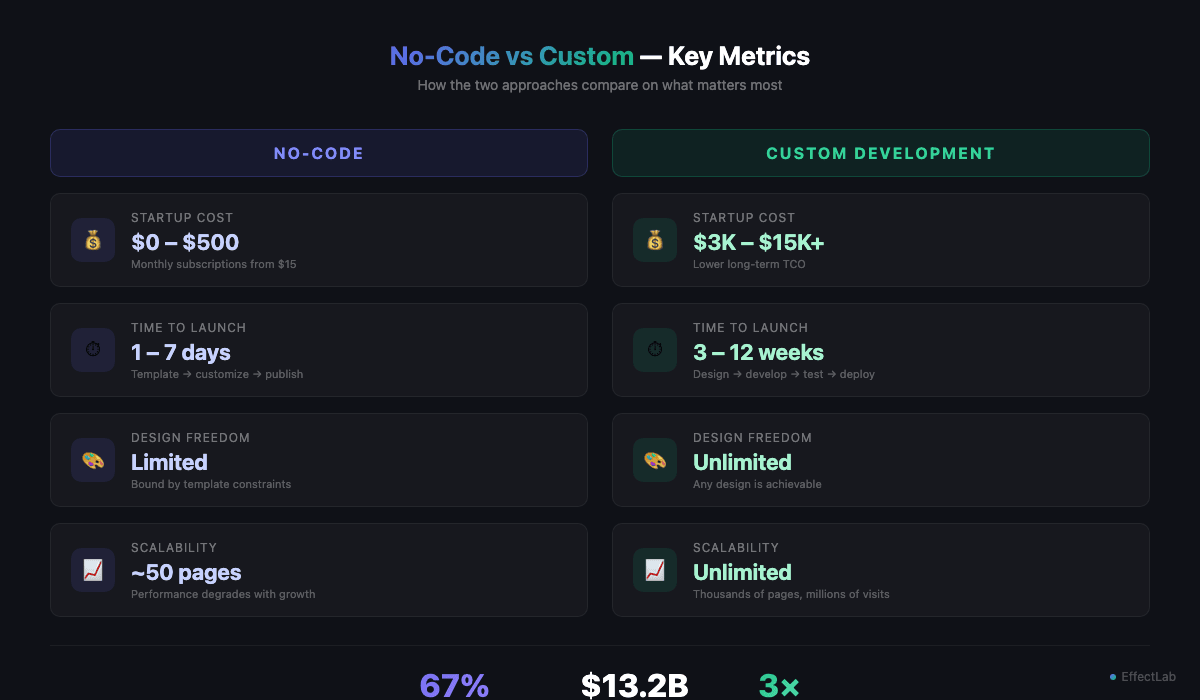
Let’s cut through the marketing claims and compare these approaches on the criteria that actually matter for your business. If you’re serious about website promotion and SEO, pay special attention to the SEO and performance rows — the differences are more significant than most people realize.
| Criteria | No-Code | Custom Development |
|---|---|---|
| Startup Cost | $0 – $500 | $3,000 – $15,000+ |
| Long-term Cost (3 years) | $1,500 – $5,000+ (subscriptions + add-ons) | $1,000 – $3,000 (hosting + maintenance) |
| Time to Launch | 1 – 7 days | 3 – 12 weeks |
| Design Flexibility | Limited to templates and platform constraints | Unlimited — any design is possible |
| SEO Capabilities | Basic: meta tags, alt text. Limited control over page speed, schema, URL structure | Full control: custom schema, server-side rendering, advanced technical SEO |
| Scalability | Good for up to ~50 pages. Performance degrades with complexity | Scales to thousands of pages and millions of visitors |
| Security | Managed by platform (generally secure, but you have no control) | Fully customizable security. Requires active management |
| Performance | Platform-dependent. Often bloated with unused features | Optimized for your specific needs. Faster load times achievable |
| Ownership & Migration | Platform lock-in. Migrating means rebuilding entirely | You own all code and data. Can move to any host anytime |
When No-Code Is the Right Choice
No-code isn’t inferior — it’s simply designed for different situations. Here are four scenarios where a no-code platform genuinely makes more sense than hiring a developer:
1. Testing an MVP. You have a business idea but need to validate it before investing serious money. A no-code landing page with a sign-up form lets you test market demand in days. If the idea gains traction, you can invest in custom development with real data backing your decision.
2. A landing page for paid advertising. You’re running Google Ads or Facebook campaigns and need a targeted landing page fast. No-code platforms are perfect for this — you can create, test, and iterate quickly without waiting for a developer. When a campaign ends, you can modify or replace the page in minutes.
3. A simple digital business card. If you need a basic online presence with your services, contact information, and maybe a portfolio — a no-code site gets the job done. Not every business needs a complex website. However, even for seemingly simple projects, the quality difference between a template and custom design can be striking. Our WohnArt Studio project started as a simple portfolio concept but delivered a unique brand experience that no template could match.
4. A personal side project. Building a blog, a hobby site, or an internal tool for your team? No-code is often the perfect fit. The stakes are lower, the requirements simpler, and the budget is usually limited.
A smart strategy: start with no-code to validate your idea, then graduate to custom development when you outgrow the platform. Just be aware that migration means rebuilding — so plan for it. Many of the common website mistakes that cost businesses money stem from choosing a no-code platform for a project that clearly needed custom development from the start.
When You Need Custom Development
There are situations where no-code simply can’t deliver what your business requires. If any of these scenarios describe your project, custom development isn’t optional — it’s necessary:
1. E-commerce with a large product catalog. Once you’re selling more than 50-100 products with complex categories, filters, variations, and custom pricing rules, no-code platforms hit their limits fast. Custom solutions handle thousands of SKUs with sophisticated search and filtering while maintaining fast load times.
2. A platform with booking or rental functionality. If your business model involves reservations, scheduling, or equipment rental, you need custom logic that template-based platforms can’t provide. We built the OptiRent equipment rental platform with real-time availability tracking and a booking system tailored to the client’s exact workflow — something no Wix plugin could replicate.
3. A multilingual website. Serving customers in multiple languages requires more than just a translation plugin. Proper multilingual SEO needs hreflang tags, language-specific URLs, localized content management, and culturally adapted design elements. Most no-code platforms handle this poorly, if at all.
4. A unique brand identity. If your brand needs to stand out visually — with custom animations, interactive elements, or a design that doesn’t look like every other website in your industry — you need custom development. Templates are designed to work for everyone, which means they’re optimized for no one.
5. An SEO-critical project. When organic traffic is your primary customer acquisition channel, you need full control over technical SEO: server-side rendering, custom schema markup, optimized Core Web Vitals, dynamic sitemaps, and internal linking strategies. The Chudodievo resort website needed to rank for highly competitive travel keywords — achieving that required custom performance optimization that would be impossible on a no-code platform.
The Hybrid Approach
Here’s what the “no-code vs custom” debate often misses: you don’t have to choose one extreme or the other. The hybrid approach combines the best of both worlds — and it’s what most successful businesses actually use.
WordPress is the ultimate hybrid. It’s technically custom development — you (or your developer) write the theme, control the code, and own everything. But it also integrates thousands of ready-made plugins that add functionality without custom coding: WooCommerce for e-commerce, Yoast for SEO, Contact Form 7 for lead generation. You get the flexibility of custom code with the convenience of pre-built solutions.
The headless CMS trend takes this even further. A headless setup separates the content management backend (WordPress, Strapi, or Contentful) from the frontend presentation layer (React, Next.js, or Vue). This lets non-technical team members manage content easily while developers maintain full control over performance and user experience.
A practical example: custom theme + WooCommerce + carefully selected plugins. You get a unique design that matches your brand, professional e-commerce functionality, and plugin-powered features like reviews, email marketing integration, and analytics — all without building every component from scratch.
When we developed the Zoria 2 residential complex website, we used exactly this hybrid approach. A fully custom theme delivered the unique visual identity the project demanded, while proven WordPress features handled content management, media galleries, and contact forms. The result: a premium, one-of-a-kind website delivered faster and more cost-effectively than a fully custom build.
How to Decide: A Simple Framework
Still not sure which approach is right for your project? Use this decision framework. Check every statement that applies to your situation:
☐ Your budget is under $2,000 → No-code
☐ You need custom business logic (calculators, booking, user accounts) → Custom
☐ Your site will have more than 50 pages → Custom
☐ You need e-commerce with 100+ products → Custom
☐ You need to launch in less than 2 weeks → No-code
☐ You have a long-term growth plan for your online presence → Custom or hybrid
☐ Organic search is your main traffic source → Custom
☐ You need a multilingual website → Custom
If most of your checks fall in the “No-code” column, start there — you can always upgrade later. If “Custom” dominates, invest in a proper custom solution from the start. A mix of both? The hybrid WordPress approach might be your sweet spot.
Not sure where you fall? Get a free consultation from EffectLab — we’ll analyze your requirements and honestly recommend the approach that delivers the best ROI for your specific situation. Sometimes we even tell clients they don’t need us yet.
Conclusion
The no-code vs custom development question doesn’t have a universal answer — and anyone who tells you otherwise is trying to sell you something. No-code platforms are powerful tools for specific situations: quick launches, MVP testing, simple online presences, and budget-conscious projects. Custom development is essential when your business needs complex functionality, maximum performance, full ownership, and room to grow.
The smartest businesses don’t ask “which is better?” — they ask “which is better for us, right now, given our goals and budget?” Some start with no-code and graduate to custom. Others invest in custom development from day one because they know where they’re headed. And many choose the hybrid approach, combining custom design with ready-made solutions.
Whatever path you choose, make it an informed decision. Understand the trade-offs. Plan for where you’ll be in 2-3 years, not just where you are today. And if you’d like expert guidance from a team that builds both simple and complex web solutions — reach out to EffectLab. We’ll help you choose the approach that fits your business, not our portfolio.