
DIY SEO Audit: A Step-by-Step Checklist for Any Website
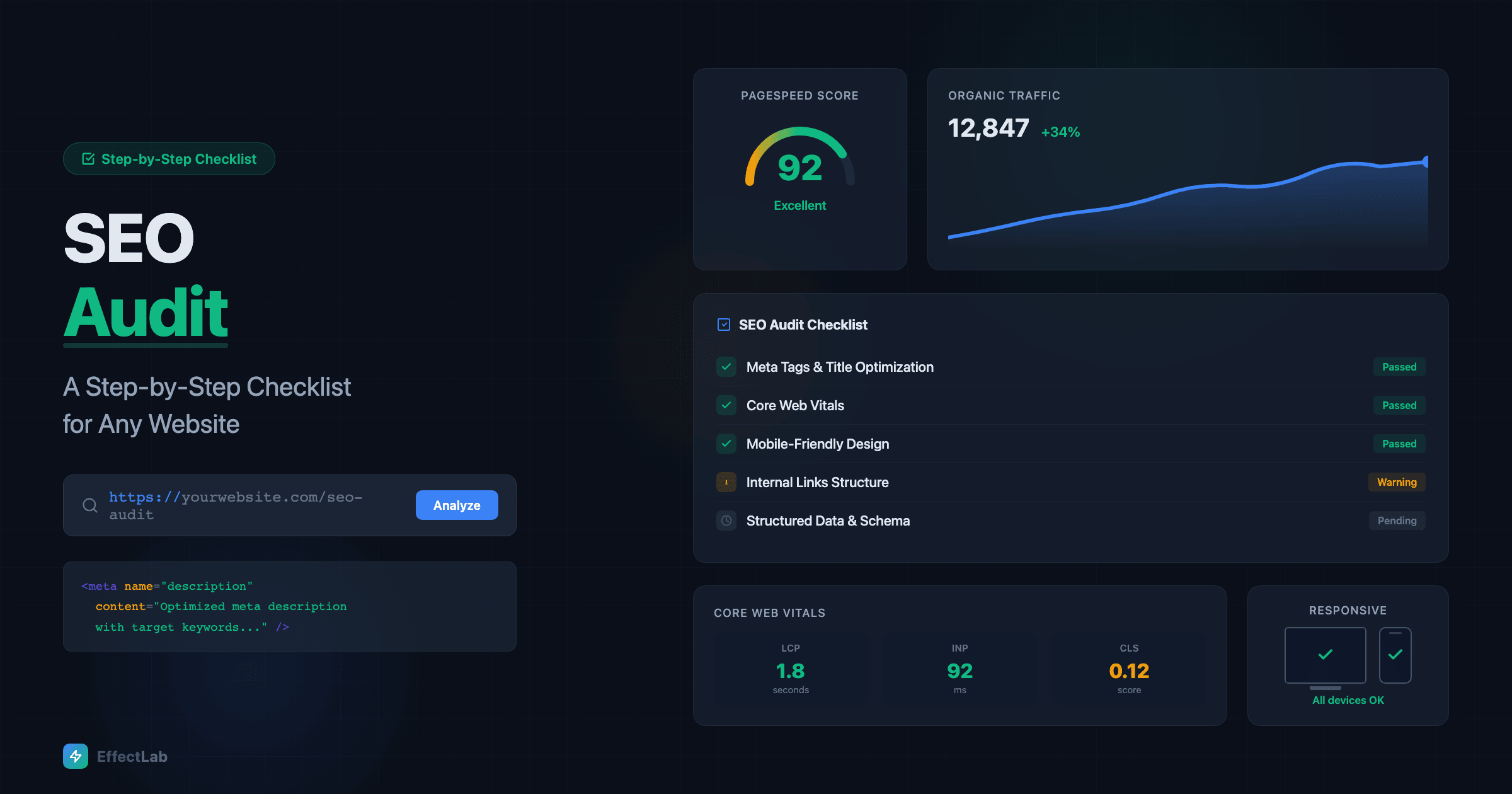
Most businesses know they need SEO but have no idea where they actually stand. They pay for tools, hire consultants, or simply hope for the best — without ever doing a structured audit of what’s working and what’s broken on their website right now.
An SEO audit doesn’t require expensive software or years of experience. What it requires is a systematic approach — checking the right things in the right order and knowing what to do when you find a problem. This checklist gives you exactly that.
We’ve broken the audit into 7 sections covering every critical SEO factor: technical health, on-page optimization, content quality, internal linking, off-page signals, Core Web Vitals, and mobile experience. Work through them in order, and by the end you’ll have a clear picture of your site’s SEO strengths and weaknesses — plus a prioritized action plan to fix what matters most.
1. Technical SEO Health Check
Technical SEO is the foundation everything else builds on. If Google can’t properly crawl, index, and understand your site, no amount of great content or backlinks will save your rankings.
Crawlability and indexing:
- Open Google Search Console → Pages report. Check for pages with “Not indexed” status. Look for “Crawled — currently not indexed” or “Discovered — currently not indexed” — these signal quality or crawl budget issues.
- Check your
robots.txtfile (yourdomain.com/robots.txt). Make sure you’re not accidentally blocking important pages or directories. Common mistake: blocking /wp-admin/ is fine, but blocking /wp-includes/ can break CSS/JS rendering. - Verify your XML sitemap (usually yourdomain.com/sitemap_index.xml). Open it and confirm it includes all important pages, doesn’t include 404s or redirected URLs, and is submitted in Google Search Console.
- Run a crawl with Screaming Frog (free for up to 500 URLs) or Sitebulb. Look for: broken links (4xx errors), redirect chains (more than one hop), orphan pages (not linked from anywhere), and duplicate content.
HTTPS and security:
- Your entire site should be on HTTPS. No exceptions. Check for mixed content warnings (HTTP resources loaded on HTTPS pages) using browser DevTools → Console.
- Verify your SSL certificate is valid and not expiring soon. An expired SSL causes browser warnings that destroy trust and rankings instantly.
- Check for proper HTTP → HTTPS and www → non-www (or vice versa) redirects. All four combinations should resolve to one canonical URL.
Site structure:
- Check your URL structure. URLs should be readable, use hyphens (not underscores), and reflect your site hierarchy. Avoid parameters like
?id=123for important pages. - Verify canonical tags on key pages. Duplicate or missing canonicals cause indexing confusion. Each page should have a self-referencing canonical unless it’s intentionally pointing to another URL.
- Test your 404 page. It should exist, be helpful, and include navigation back to the main site. A blank or broken 404 page is a missed recovery opportunity.
If this section reveals major issues — broken HTTPS, missing sitemaps, or widespread crawl errors — fix these before anything else. Technical problems block the impact of every other SEO effort. For a deeper dive into technical SEO fundamentals, our website promotion guide covers the full picture.
2. On-Page SEO Optimization
On-page SEO is where you tell Google (and users) what each page is about. Even small improvements here can move rankings significantly.
Title tags:
- Every page needs a unique title tag. Duplicates confuse Google about which page to rank.
- Keep titles under 60 characters (Google truncates longer ones). Front-load your primary keyword.
- Include your brand name at the end for recognition: “Primary Keyword — Secondary | Brand Name”.
- Check for missing titles: Search Console → Pages report, or crawl with Screaming Frog.
Meta descriptions:
- Not a ranking factor, but directly impacts click-through rate. A compelling meta description is free advertising in search results.
- Keep under 155 characters. Include a call to action and your primary keyword (Google bolds matching terms).
- If you leave them blank, Google auto-generates them — and usually does a mediocre job.
Heading structure:
- One H1 per page, matching the page’s primary topic. It should include (or closely relate to) your target keyword.
- Use H2s for main sections, H3s for subsections. Don’t skip levels (H1 → H3 without H2).
- Headings should create a scannable outline of your content. If someone reads only your headings, they should understand the page’s structure.
Image optimization:
- Every image needs descriptive alt text. Not keyword-stuffed, but genuinely descriptive: “Team working on laptop in office” not “best SEO agency website design services”.
- Use WebP format with PNG/JPEG fallbacks. WebP reduces file size by 25-35% with no visible quality loss.
- Implement lazy loading for below-the-fold images. This directly improves page load speed and Core Web Vitals.
- Compress images before uploading. Tools: TinyPNG, Squoosh, or ImageOptim for batch processing.
Many of these issues are common website mistakes that are easy to fix once you know they exist. A single afternoon fixing title tags and meta descriptions across your key pages can noticeably improve organic traffic within weeks.
3. Content Quality Audit
Google’s Helpful Content system rewards pages that demonstrate expertise, provide genuine value, and satisfy search intent. This section helps you evaluate whether your content meets that bar.
Content inventory:
- List all pages on your site and categorize them: high-performing (good traffic and engagement), underperforming (indexed but low traffic), thin content (under 300 words with no unique value), and outdated (factually old or irrelevant).
- Use Google Analytics → Pages report to find pages with high impressions but low clicks (opportunity to improve titles/descriptions) and pages with high bounce rates (content doesn’t match intent).
Search intent alignment:
- For each key page, Google its target keyword. Compare the top 5 results with your page. Does your content match the format (guide, list, comparison, tool) that Google is rewarding?
- If top results are all how-to guides and your page is a sales pitch, you have an intent mismatch — the #1 reason good content doesn’t rank.
E-E-A-T signals:
- Does your content show Experience, Expertise, Authoritativeness, and Trustworthiness?
- Author bios with credentials, cited sources, up-to-date statistics, and original insights all strengthen E-E-A-T.
- For YMYL topics (health, finance, legal), E-E-A-T is non-negotiable — thin or unattributed content will not rank.
Action plan for weak content:
- Improve underperforming pages with updated information, better structure, and richer media.
- Merge thin pages covering similar topics into one comprehensive resource.
- Remove (or noindex) pages that provide zero value and can’t be improved — they dilute your site’s overall quality.
4. Internal Linking Structure
Internal links are one of the most underused SEO levers. They distribute page authority, help Google understand your site hierarchy, and guide users to relevant content.
- Check for orphan pages — pages with no internal links pointing to them. Screaming Frog’s “Inlinks” column shows this instantly. Orphan pages are nearly invisible to both Google and users.
- Identify your most important pages — service pages, key landing pages, cornerstone blog posts. These should have the most internal links pointing to them.
- Audit anchor text — internal link anchors should be descriptive and relevant, not “click here” or “read more”. Use natural, keyword-relevant phrases.
- Fix broken internal links — links pointing to 404 pages or redirect chains waste link equity and create poor user experience.
- Add contextual links in blog posts — every blog post should link to 2-5 relevant pages on your site (other posts, service pages, case studies). This creates a web of relevance that Google follows.
- Check link depth — important pages should be reachable within 3 clicks from the homepage. Pages buried 5+ clicks deep get crawled less frequently and carry less authority.
5. Off-Page SEO Signals
Off-page SEO is about your site’s reputation across the wider internet. While you can’t fully control it, you can audit it and identify problems.
- Backlink profile check — use Google Search Console → Links report (free) or Ahrefs/Semrush (paid) to see who links to you. Look for: total referring domains (more diverse is better), anchor text distribution (overly optimized anchors can trigger penalties), and toxic links (spam sites, link farms, irrelevant foreign domains).
- Disavow toxic links — if you find genuinely spammy backlinks, use Google’s Disavow Tool. But be cautious — only disavow links that are clearly manipulative. Google is good at ignoring low-quality links on its own.
- Competitor gap analysis — check where your competitors get links that you don’t. Tools like Ahrefs’ “Link Intersect” show sites linking to multiple competitors but not to you — these are your highest-probability link opportunities.
- Local citations — if you’re a local business, audit your listings across Google Business Profile, Yelp, directories, and social profiles. NAP (Name, Address, Phone) consistency matters enormously for local SEO rankings.
- Brand mentions — search your brand name in quotes on Google. Unlinked mentions are opportunities to request a link from the author.
6. Core Web Vitals and Performance
Core Web Vitals are Google’s user experience metrics that directly impact rankings. Here’s what to check and what “good” looks like:
- Largest Contentful Paint (LCP) — measures loading speed. Target: under 2.5 seconds. Check in PageSpeed Insights. Common fixes: optimize hero images, use CDN, reduce server response time, preload critical resources.
- Interaction to Next Paint (INP) — measures responsiveness (replaced FID in 2024). Target: under 200ms. Common fixes: reduce JavaScript execution time, break up long tasks, defer non-critical scripts.
- Cumulative Layout Shift (CLS) — measures visual stability. Target: under 0.1. Common fixes: set explicit width/height on images and embeds, avoid injecting content above the fold, use
font-display: swapfor web fonts.
How to test:
- Google PageSpeed Insights (pagespeed.web.dev) — tests individual pages and shows both lab and field data.
- Google Search Console → Core Web Vitals — site-wide report based on real user data (CrUX). This is what Google actually uses for ranking.
- Chrome DevTools → Lighthouse — local testing with actionable recommendations.
- WebPageTest.org — advanced testing with waterfall charts and filmstrip view.
Performance optimization is technical but high-impact. Improving LCP from 4 seconds to 2.5 seconds can visibly boost rankings within weeks. If your site is showing age, poor Core Web Vitals are often the first measurable symptom.
7. Mobile Experience Audit
Google uses mobile-first indexing — meaning it primarily crawls and ranks your mobile site. A desktop site that looks great but breaks on mobile is an SEO liability.
- Google’s Mobile-Friendly Test — run it on your key pages. It flags text too small, clickable elements too close together, and content wider than the screen.
- Viewport configuration — your pages must have
<meta name="viewport" content="width=device-width, initial-scale=1">. Without it, mobile browsers render the desktop version zoomed out. - Tap targets — buttons and links should be at least 44×44 pixels with adequate spacing. Test by actually using your site on a phone — if you struggle to tap the right link, your visitors do too.
- Content parity — your mobile site should have the same content as desktop. Hiding content behind “read more” toggles or removing sections on mobile means Google doesn’t see (or rank) that content.
- Font sizes — body text should be at least 16px on mobile. If users need to pinch-zoom to read, you’ve lost them.
- Forms on mobile — test every form on your phone. Input fields should use proper types (email, tel, number) for appropriate mobile keyboards. Minimize required fields — every extra field on mobile increases abandonment.
The mobile audit often reveals issues that explain poor conversion rates. Building with a mobile-first approach from the start prevents most of these problems, but even established sites can be improved with targeted fixes.
Prioritizing Your Fixes
After completing all 7 sections, you’ll likely have a long list of issues. Don’t try to fix everything at once. Here’s how to prioritize:
- Critical technical issues first — broken HTTPS, robots.txt blocking important pages, missing sitemaps, crawl errors. These block everything else.
- Core Web Vitals failures — directly impact rankings and are usually fixable with focused effort.
- Title tags and meta descriptions on your top 20 pages — quick wins with measurable CTR impact.
- Content quality issues — update or remove thin/outdated content that dilutes your site’s quality signals.
- Internal linking gaps — add links to orphan pages and strengthen links to key pages.
- Mobile experience fixes — tap targets, font sizes, form usability.
- Off-page opportunities — backlink outreach and citation cleanup are ongoing, not one-time tasks.
Track your changes and their impact. Use Google Search Console to monitor impressions, clicks, and average position for your target keywords. Most technical fixes show results within 2-4 weeks of Google’s next crawl. Content improvements may take 1-3 months.
Free Tools for Your SEO Audit
You don’t need expensive subscriptions to run a thorough audit. These free tools cover 90% of what you need:
- Google Search Console — indexing, performance, Core Web Vitals, links, mobile usability
- Google PageSpeed Insights — page-level performance testing
- Google Analytics (GA4) — traffic, engagement, conversion data
- Screaming Frog SEO Spider — free for up to 500 URLs, covers crawl analysis, broken links, redirects, metadata
- Google Rich Results Test — validates structured data markup
- Ahrefs Webmaster Tools — free backlink profile and site audit (limited)
- Microsoft Clarity — free heatmaps and session recordings for UX insights
When to Call a Professional
This checklist handles the fundamentals that any business owner or marketer can tackle. But some situations call for expert help:
- You’ve been hit by a Google penalty or seen a sudden traffic drop
- Your site has thousands of pages with complex crawl and indexation issues
- You need a complete technical rebuild to fix architectural problems
- You’re in a competitive niche where marginal gains matter
- You don’t have time to implement fixes yourself and need someone to execute
At EffectLab, SEO auditing is built into every website project we deliver. Whether we’re building a B2B catalog with multi-level filtering or a real estate website with apartment selectors, technical SEO is part of the foundation — not an afterthought. Want us to run a professional audit on your site? Get in touch for a free initial assessment.
Conclusion
An SEO audit isn’t a one-time event — it’s a habit. Run through this checklist quarterly, and you’ll catch problems before they compound. The sites that rank consistently aren’t the ones with the biggest budgets; they’re the ones that systematically find and fix issues while their competitors ignore them.
Start today. Open Google Search Console, check your indexing status, and work through the list. Most of what you’ll find can be fixed in a weekend. The impact will last for months.
Bookmark this page and come back to it every quarter. Your future self — and your search rankings — will thank you.