
10 Website Mistakes That Cost You Clients
Every year, businesses lose an estimated $1.4 trillion due to poor user experience on their websites. That’s not a typo — trillion with a T. Your website might look fine to you, but invisible UX problems and common website mistakes could be silently driving customers away, killing conversions, and burning your marketing budget.
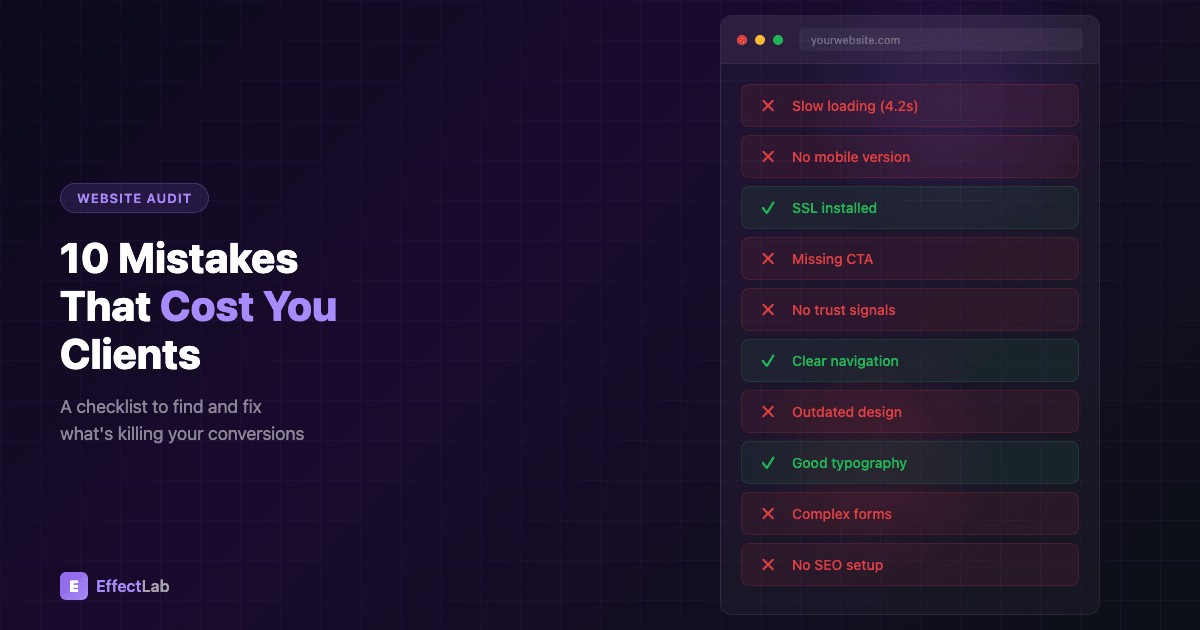
The worst part? Most of these mistakes are completely fixable. After auditing hundreds of websites, we’ve identified the 10 most costly website mistakes that cost businesses real money. Use this checklist to find out if your site is guilty — and learn exactly how to fix each problem.
1. Slow Page Loading Speed
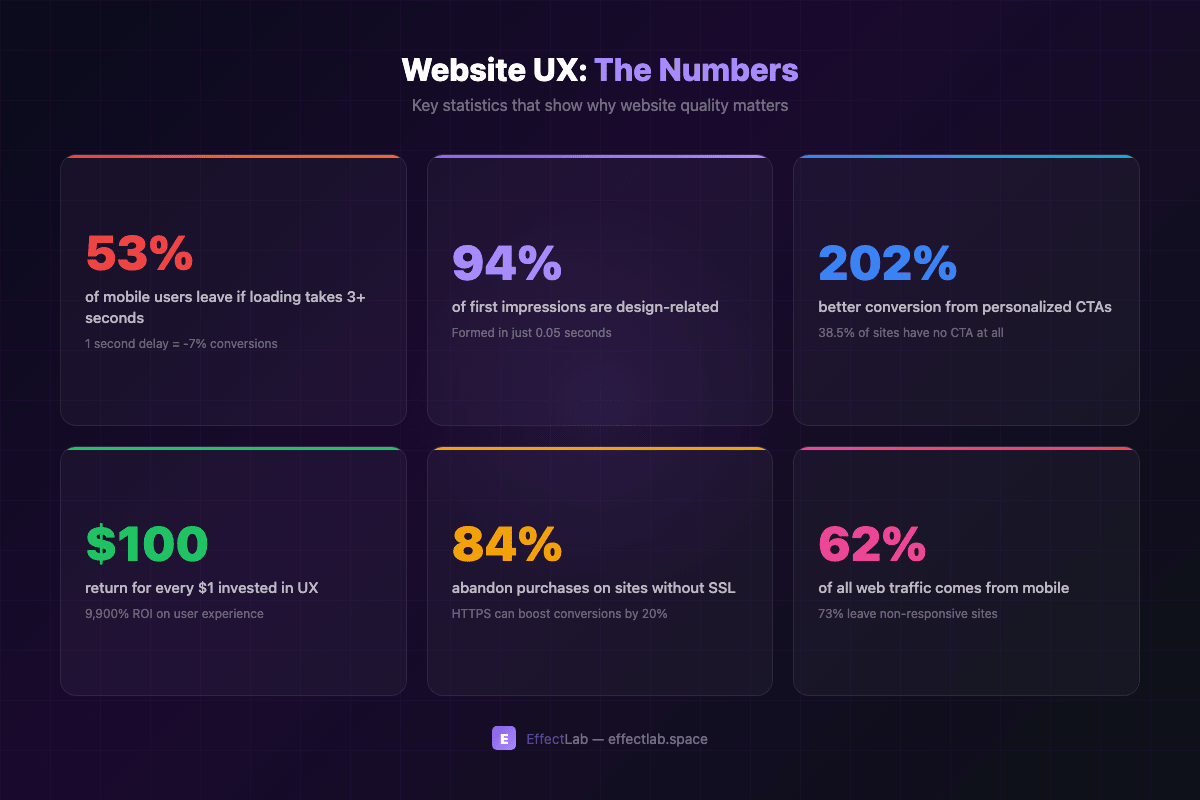
Speed isn’t a nice-to-have — it’s the foundation of everything. A single second of delay in page load time reduces conversions by 7%. And if your mobile site takes more than 3 seconds to load, 53% of visitors will leave before they ever see your content.
Google has been using page speed as a ranking factor since 2018, and Core Web Vitals made it even more critical. But beyond SEO, slow loading destroys the user experience at the most fundamental level. Users form an opinion about your site in milliseconds — if they’re staring at a loading spinner, that opinion is already negative.
How to fix it: Compress and convert images to WebP/AVIF formats. Enable browser caching and GZIP compression. Minimize render-blocking CSS and JavaScript. Use a CDN for static assets. Aim for a Largest Contentful Paint (LCP) under 2.5 seconds — test your site with Google PageSpeed Insights to see where you stand.
2. Non-Responsive Design
In 2026, over 62% of all web traffic comes from mobile devices. Yet many websites still treat mobile as an afterthought — shrinking desktop layouts to fit smaller screens instead of designing for mobile first. The result? 73% of mobile users say they’ve left a website because it wasn’t optimized for their device.
A non-responsive site doesn’t just frustrate users — it actively hurts your search rankings. Google uses mobile-first indexing, which means it primarily crawls and indexes the mobile version of your site. If your mobile experience is poor, your entire SEO suffers.
When we built the OptiRent equipment rental platform, responsive design was the top priority. Equipment rental customers often search on-site from construction locations using their phones. Every page, every filter, every booking form had to work flawlessly on any screen size — and the conversion rates proved the approach right.
How to fix it: Adopt a mobile-first design approach. Test on real devices, not just browser emulators. Ensure tap targets are at least 48×48 pixels. Use flexible grids and relative units. Check your site with Google’s Mobile-Friendly Test.
3. Missing or Unclear Calls-to-Action
Here’s a shocking statistic: 38.5% of websites have no visible call-to-action on their homepage. That’s like opening a store, arranging beautiful displays, and then hiding the cash register. Visitors arrive, browse, and leave — because you never told them what to do next.
Effective CTAs are the bridge between interest and action. Research shows that personalized calls-to-action convert 202% better than generic ones. Instead of “Click Here” or “Submit,” use action-oriented language that communicates clear value: “Get Your Free Audit,” “Start Saving Today,” or “See Pricing Plans.”
How to fix it: Place a primary CTA above the fold on every key page. Use contrasting colors that stand out from your design. Write action verbs that communicate value. Test different placements and wording with A/B testing. Make sure every page has a clear next step for the visitor.
4. No Trust Signals
Would you hand your credit card to a stranger on the street? That’s essentially what you’re asking visitors to do when your website lacks trust signals. Studies show that 93% of consumers read online reviews before making a purchase, and 84% of people will abandon a transaction if they feel the site isn’t secure.
Trust signals include client testimonials, case studies, industry certifications, partner logos, security badges, and a professional “About Us” page. They answer the fundamental question every visitor asks: “Can I trust this company?”
A strong portfolio is one of the most powerful trust signals. When potential clients browse our project portfolio, they see real results with real businesses — not stock photos and vague promises. Each case study demonstrates specific challenges we solved and measurable outcomes we achieved.
How to fix it: Add client testimonials with real names and photos. Display logos of notable clients or partners. Show certifications and awards. Include detailed case studies. Add a physical address and phone number to your footer.
5. No SSL Certificate
If your website still uses HTTP instead of HTTPS, you’re losing customers every single day. Modern browsers display prominent “Not Secure” warnings for HTTP sites, and 84% of users say they would abandon a purchase on a site without a secure connection. On the flip side, migrating to HTTPS has been shown to increase conversion rates by up to 20%.
Beyond user trust, SSL is a confirmed Google ranking factor. Sites without HTTPS are penalized in search results, which means less organic traffic on top of lower conversion rates. In 2026, there’s simply no excuse for running an unsecured site — free SSL certificates are available from Let’s Encrypt and most hosting providers include them.
How to fix it: Install an SSL certificate (most hosts offer free ones). Set up proper 301 redirects from HTTP to HTTPS. Update all internal links and resources to use HTTPS. Check for mixed content warnings. Add HSTS headers for maximum security.
6. Confusing Navigation
If visitors can’t find what they’re looking for within a few seconds, they leave. It’s that simple. Research shows that 61% of users will try a different site if they can’t quickly find what they need. And every dollar invested in UX returns an average of $100 — a staggering 9,900% ROI.
Poor navigation takes many forms: too many menu items, unclear labels, missing search functionality, inconsistent page hierarchy, or burying important pages three clicks deep. The goal is to get any visitor from any entry point to their desired content in as few steps as possible.
For the TechnoVector platform, navigation architecture was critical. With thousands of industrial products across dozens of categories, users needed to find specific items fast. We designed a multi-level filtering system with intuitive category trees, breadcrumbs, and persistent search — reducing the average path to product from 5 clicks to just 2.
How to fix it: Limit your main navigation to 5–7 items. Use clear, descriptive labels (not clever or creative ones). Add breadcrumbs for complex sites. Include a search function. Test with real users — watch where they click and where they get stuck.
7. Outdated Design
First impressions happen in 0.05 seconds — that’s 50 milliseconds. And 94% of those first impressions are design-related. An outdated website immediately signals to visitors that your business might be outdated too. If your site looks like it was built in 2015, users will assume your products, services, and practices are equally behind the times.
Design trends evolve for a reason: they reflect changing user expectations and technological capabilities. Modern users expect clean layouts, high-quality imagery, smooth animations, and visual consistency. A dated design with cluttered layouts, small text, and stock photos from the early 2010s creates an instant credibility gap.
The WohnArt Studio website is a perfect example of how modern design builds trust. For an interior design studio, the website itself serves as a portfolio piece — if the site looks outdated, potential clients question the studio’s design capabilities. We created a clean, contemporary experience with smooth scroll animations, a curated project gallery, and typography that reflects the studio’s aesthetic values.
How to fix it: Audit your design against current competitors. Update your color palette and typography. Replace stock photos with authentic imagery. Add subtle animations and micro-interactions. Consider a full redesign every 3–4 years to stay current.
8. Poor Readability and Typography
You could have the best content in the world, but if it’s hard to read, no one will bother. Typography affects how 60% of users perceive a website, and 93% of purchasing decisions are influenced by visual appearance — with text being the largest visual element on most pages.
Common readability mistakes include: font sizes too small for comfortable reading (below 16px on desktop), insufficient contrast between text and background, lines of text that stretch too wide (beyond 75 characters), paragraphs that are too long and dense, and inconsistent heading hierarchy that makes content hard to scan.
How to fix it: Use a base font size of at least 16px (18px is better). Maintain a contrast ratio of at least 4.5:1. Keep line width between 50–75 characters. Use adequate line spacing (1.5–1.8). Break up text with subheadings, bullet points, and white space. Choose no more than 2–3 font families.
9. Complex or Missing Contact Forms
Every field you add to a contact form reduces the chance of completion. Yet many businesses create forms with 10+ fields, asking for information they don’t actually need. The result: only 38% of users who start filling out a form actually complete it. The other 62% give up — and take their business elsewhere.
Even worse than a complex form is having no easy way to get in touch at all. If your contact page is buried in the footer navigation and your only option is an email address, you’re creating unnecessary friction. Modern users expect multiple contact options: a simple form, phone number, live chat, and social media links.
How to fix it: Reduce form fields to the absolute minimum (name, email, message). Add inline validation so users see errors in real time. Include a clear privacy policy link. Offer multiple contact methods. Place contact information on every page, not just the contact page. Consider adding a chatbot for instant responses.
10. Ignoring Basic SEO
Organic search drives 47% of all website traffic on average. Yet many businesses treat SEO as an afterthought — or ignore it entirely. A study found that 73% of B2B companies have lost significant organic traffic in the past year due to algorithm updates they weren’t prepared for.
Basic SEO isn’t complicated, but it requires consistency. Missing meta titles and descriptions, no alt text on images, duplicate content, broken internal links, and poor URL structure are easy problems to fix — but they compound over time, quietly draining your organic visibility.
For a comprehensive guide on modern website promotion that covers SEO, AI search optimization, and emerging strategies, check out our article on how to promote a website in 2026. It covers everything from technical SEO fundamentals to cutting-edge approaches like GEO and LLMO.
How to fix it: Write unique title tags and meta descriptions for every page. Add descriptive alt text to all images. Fix broken links and redirects. Create a logical URL structure. Submit your sitemap to Google Search Console. Monitor your Core Web Vitals regularly.
Your Website Audit Checklist
Use this quick checklist to audit your website against the 10 website mistakes we’ve covered. Check off each item you’ve already addressed — and prioritize fixing the ones you haven’t:
- ☐ Pages load in under 3 seconds on mobile
- ☐ Site looks and works great on all screen sizes
- ☐ Clear call-to-action on every key page
- ☐ Trust signals visible (testimonials, portfolio, certifications)
- ☐ SSL certificate installed (HTTPS)
- ☐ Navigation is simple and intuitive
- ☐ Design looks modern and professional
- ☐ Text is easy to read on all devices
- ☐ Contact form is short and accessible
- ☐ Basic SEO is in place (titles, descriptions, alt text)
If you checked fewer than 7 items, your website is likely losing clients right now. The good news: every one of these issues is fixable, and even small improvements can produce significant results.
Not sure where to start? We offer a comprehensive website audit that identifies exactly what’s holding your site back — and provides a prioritized action plan to fix it. Get in touch with our team and let’s make your website work as hard as you do.